
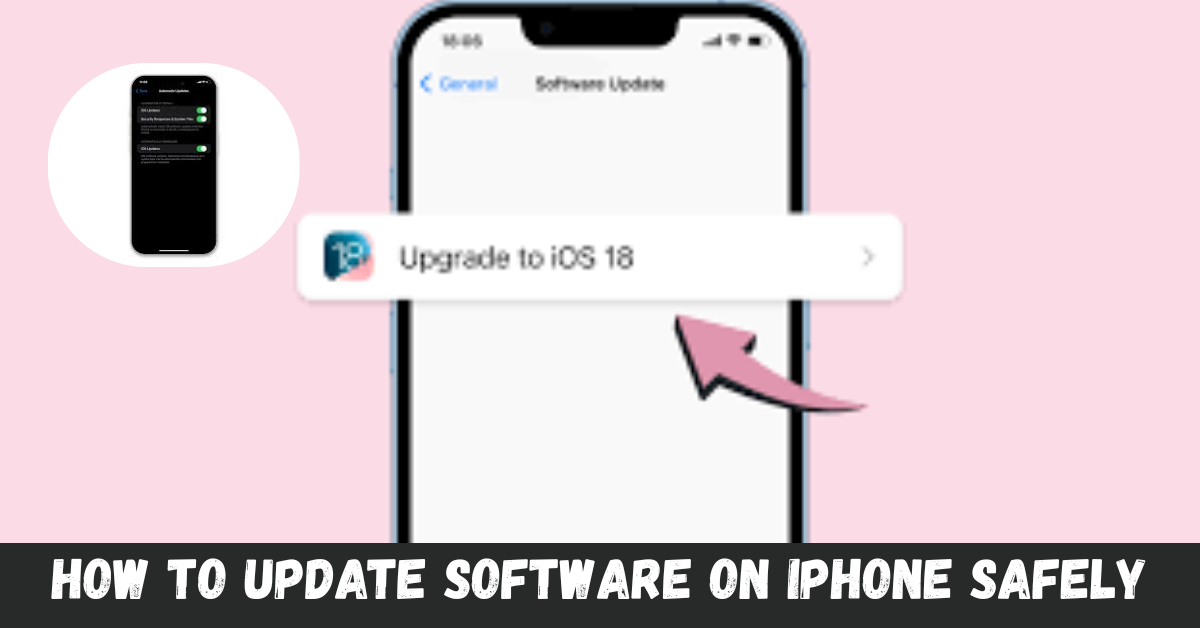
Introduction to Software Updates on iPhone
Keeping your iPhone updated is crucial for ensuring it runs smoothly and efficiently. Software updates not only bring new features but also fix bugs and enhance security. If you’ve ever wondered how to update software on iPhone safely, you’re in the right place. Whether you’re a tech novice or a seasoned user, understanding the process can save you time and frustration while keeping your device in top shape. Let’s dive into why updating your software should be a priority and how to do it without any hiccups along the way!
Reasons for Updating Software
Updating software on your iPhone is crucial for several reasons.
Updates often include security patches. These fixes protect your device from vulnerabilities that hackers might exploit.
New features and enhancements are introduced with each update. You gain access to improved functionality that can enhance your user experience.
Moreover, software updates improve overall performance. They help apps run more smoothly and efficiently, extending battery life in many cases.
Compatibility is another factor to consider. Keeping your iPhone’s software current ensures it works seamlessly with other devices and applications you use daily.
Regular updates provide peace of mind. Knowing you’re running the latest version means you’re benefiting from all advancements Apple has made in technology and security measures.
How to Check for Software Updates on iPhone
To check for software updates on your iPhone, start by opening the Settings app. It’s where all the magic happens.
Scroll down and tap on “General.” This section holds crucial information about your device.
Next, select “Software Update.” Your iPhone will take a moment to connect with Apple’s servers.
If an update is available, you’ll see details about what’s new and improved. You can also find options to download and install right there.
For those who prefer staying informed, enable automatic updates in this same menu. That way, your device keeps itself up-to-date without needing constant checks from you.
Checking for software updates regularly ensures you’re aware of the latest features and security patches that enhance your user experience. Keeping this habit might save you from potential issues later on too!
Steps to Safely Update Software on iPhone
To safely update the software on your iPhone, start by backing up your device. Use iCloud or connect to a computer and utilize iTunes. This ensures your data is safe in case anything goes wrong.
Next, ensure that you have a stable Wi-Fi connection. Avoid using mobile data for large downloads to prevent interruptions.
Head to Settings, then tap on General, and select Software Update. Your device will check for available updates automatically.
If an update is ready, you’ll see the option to download and install it. Make sure your battery is charged or plug it into power during this process.
Follow the prompts on-screen diligently. Once completed, restart your iPhone if prompted—this step helps finalize installations smoothly without issues appearing later on.
Common Problems and Solutions during Software Updates
Software updates on the iPhone can sometimes lead to unexpected issues. One common problem is insufficient storage space. When your device lacks enough memory, the update may fail. To resolve this, consider deleting unused apps or clearing out photos and videos.
Another frequent issue is connectivity problems during the update process. If your Wi-Fi connection drops, it can interrupt downloading files. Ensuring a strong and stable internet connection before starting the update helps avoid this hassle.
Some users might experience their device becoming unresponsive after an update attempt. If this happens, try performing a hard reset by pressing and holding both the volume up button and side button until you see the Apple logo.
If you encounter error messages like “Unable to install” or “Update Failed,” restarting your iPhone often clears minor glitches that could be causing these errors.
Benefits of Keeping Your iPhone’s Software Up-to-Date
Keeping your iPhone’s software up-to-date is essential for various reasons. First and foremost, updates often include security patches that protect your personal information from potential threats. Without these updates, you leave yourself vulnerable to hackers.
Performance enhancements are another significant benefit. Each new update can improve the speed and responsiveness of your device, ensuring a smoother user experience.
You also gain access to exciting new features with each release. Apple frequently introduces innovative tools and functionalities that enhance how you use apps or interact with your phone.
Compatibility is crucial too; as app developers update their applications, they may drop support for older software versions. Staying current ensures all your favorite apps run seamlessly without any hiccups.
Updating helps maintain battery life efficiency by optimizing system performance, allowing you more time between charges while enjoying all the latest offerings from Apple.
Tips for Efficiently Managing Software Updates on iPhone
To manage software updates efficiently on your iPhone, start by enabling automatic updates. This feature ensures you receive the latest versions without manual intervention.
Schedule update times for when you’re connected to Wi-Fi and charging. This way, your device won’t drain battery or interrupt your activities during crucial moments.
Regularly check for pending updates as well. Sometimes, notifications can slip through the cracks, so keeping an eye on settings is wise.
Consider backing up your data before major updates. While Apple’s processes are generally smooth, having a backup offers peace of mind against unexpected issues.
Familiarize yourself with system requirements for each update. Knowing what’s needed helps prevent any surprises that could stall the process or make it cumbersome.
Conclusion
Keeping your iPhone’s software up-to-date is essential for maintaining its performance and security. Regular updates not only introduce new features but also patch vulnerabilities that could expose your device to risks. By following the steps outlined, you can safely update your software without any hassle.
If issues arise during the update process, remember there are solutions available. From restarting your device to ensuring a stable internet connection, small adjustments can make a big difference.
Efficiently managing updates means being proactive rather than reactive. Enable automatic updates if possible and set aside time regularly to check for any new releases. This habit ensures you’re always protected with the latest enhancements from Apple.
Staying informed about how to update software on iPhone empowers you as an owner and helps keep your device running smoothly for years to come. Prioritize these simple tasks in your tech routine, and enjoy all the benefits of having an optimized iPhone at hand.